
Lead magnets: from topic to leads, step by step
The complete path of a lead magnet: topic, format, landing page, creatives, a UTM per creative, nurture emails and reading the results.

A lead magnet is a piece of valuable content, such as a guide, a spreadsheet, a quiz or a checklist, that a company offers in exchange for the contact details of whoever downloads it. To turn into leads, it needs a complete path: a topic that answers a real pain, the right format, a clear landing page, creatives in more than one format, a UTM per creative, nurture emails and a creative-by-creative reading of the results.
When that path works, the lead magnet keeps working for months. For a lead magnet we produced for Franq, the Meta campaign brought in more than 500 leads in about four months, and one of the videos became the creative that generated the most leads. Below is each stage of that path, in the order it happens.
The complete path of a lead magnet
Each stage answers one question, and skipping one usually brings down the ones after it.
| Stage | The question it answers | Common mistake |
|---|---|---|
| Topic | What real pain does the material solve? | choosing the topic based on what the company wants to sell |
| Format | What is the most useful way to deliver it? | making an ebook for everything |
| Landing page | Does the visitor get the offer in three seconds? | a pretty headline that doesn't say what you get |
| Promotion | Where are the people with this pain? | one creative, on one channel |
| UTM per creative | Which piece brought in each lead? | the same UTM on every ad |
| Emails | What happens after the download? | only the delivery email |
| Reading | What to keep, change or pause? | looking only at the campaign's total leads |
The topic: a real pain, at the right awareness level
The right topic comes from a question your customers already ask, not from a product the company wants to push. The best sources are in-house: the questions that reach sales, the objections that stall deals and the terms your audience searches for on Google.
Then choose who the material speaks to. Awareness levels help with that choice:
- people who don't see the problem yet need material that shows the problem and the cost of not solving it;
- people who know the problem want to compare paths and see how other companies solved it;
- people already comparing solutions want tools to decide: a calculator, an evaluation checklist, a proposal template.
The same subject can produce different materials for each stage. The mistake is trying to speak to all of them at once and serving none of them well.
The format: guide, spreadsheet, quiz or checklist
The format follows the task the reader wants to get done. Someone who wants to understand a subject reads a guide; someone who needs to run numbers uses a spreadsheet; someone who wants a quick diagnosis takes a quiz.
| Format | When to use it | Watch out for |
|---|---|---|
| Guide or ebook | to explain a subject from start to finish | being practical, with examples and screenshots, not just theory |
| Spreadsheet | to calculate, simulate or organize | being ready to use, with instructions on the first tab |
| Quiz | for a quick diagnosis of the reader | delivering a useful result, not just a score |
| Checklist | to review a process before acting | fitting on one page and being easy to print |
A lead generation quiz has an extra advantage: the answers qualify the lead better than any form field. A guide works well when the subject needs a step-by-step, like ours on lead scoring in RD Station, which walks through the setup screen by screen.
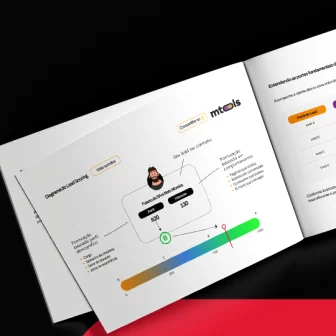 Support material · Guide in PortugueseLead scoring guide for RD StationIdentify and prioritize the leads with the most potential and stop spending time on contacts that won't convert.Download the guide
A landing page people get in three seconds
Visitors coming from an ad decide in seconds whether to stay, so the first screen has to answer everything on its own. It has four elements:
- a headline that says what the visitor gets, with the benefit, not just the name of the material;
- an image of the material, so it looks real and tangible;
- three or four bullet points about what is inside;
- the form in view, with no scrolling on mobile.
The form asks only for what sales uses to qualify. With landing page forms, every extra field costs conversions, and every missing field takes information away from the sales team. Remember the thank-you page too: it delivers the material and can already offer the next step.
Promotion: paid and organic, in more than one format
A good lead magnet with a single creative is hostage to that creative. In paid media, run pieces in different formats from the start, such as static images, carousels and short videos, with different angles on the same promise. The algorithm spreads the budget across them, and you find out what your audience prefers.
On the organic side, the material goes into posts and reels, the newsletter, blog articles on the same topic and the team's email signature. Sales can also send it to leads they are talking to, with its own link.
In the lead magnet we produced for Franq, one of the videos ended up as the creative that brought in the most leads. We only knew that because each piece had its own UTM. Ad creative testing shows how to set up these comparisons without wasting budget.
A UTM per creative: the step almost everyone skips
Every creative needs its own parameter in the link, or you will never know which piece brought in each lead. Google Analytics' own documentation points to utm_content to tell apart creatives that lead to the same page.
A simple convention does the job:
- utm_source: the platform (meta, linkedin, google, newsletter);
- utm_medium: the traffic type (cpc, social, email);
- utm_campaign: the name of the material, the same on every piece;
- utm_content: the creative, with its format and a letter (video-a, carousel-a, static-b).
Agree on the convention before the first piece goes live and keep the same spelling on every platform. In your automation tool, store the UTM of the first conversion in lead fields, so you can match it with sales later.
Nurture emails
The download is the start of the conversation, and the email flow decides whether it continues. A basic flow has four steps:
- delivery, right after the download, with the link to the material and a sentence about what the reader will find;
- a follow-up, a few days later, going deeper into a point of the material that usually raises questions;
- proof, with a case study or a data point that shows the subject solved in practice;
- the next step, with a middle-of-funnel material or an invitation to talk.
Track opens, clicks and replies for each email, as we show in email marketing metrics. If you use lead scoring, there is one more benefit: every download adds interest points, as we explain in how to implement lead scoring.
Reading the results creative by creative
Total leads tell you whether the material works; the per-creative reading tells you what to do next week. With the right UTM, build a simple table:
- leads per creative and cost per lead for each one;
- lead quality for each creative, by profile or by score;
- landing page conversion by source.
The decisions come out of that table: more budget for the pieces that bring in good leads, variations of the winning creative and a pause for whatever doesn't deliver. With Franq's lead magnet, that reading showed where to put the budget, and it is part of the work we do together across every channel, as we tell in the Franq case study.
When to update the material
A lead magnet ages, and the signs show up in the numbers and in conversations. Update it when:
- the title or content mentions a year that has already passed;
- landing page conversion drops even with the same audience and budget;
- the market has changed, with new rules, technology or pricing;
- sales hears objections the material doesn't answer.
Updating usually pays off more than starting from scratch: the landing page already has a track record, the creatives that worked get a new version and the email flow only needs adjustments. This full cycle, from topic to reading the results, is what we deliver in our content marketing and SEO service.
 Talk to usWant help planning this at your company?Tell us what you need. We'll reply by email or WhatsApp and, if it makes sense, put together a quote.Contact us
Frequently asked questions
What is the difference between a lead magnet and gated content?
They overlap. Gated content is any content behind a form; a lead magnet is gated content designed specifically to generate leads, usually with a clear, practical promise for a specific audience.
How many fields should a lead magnet landing page ask for?
Only the ones sales uses to qualify, and no more. For a top-of-funnel material, name, email and one qualifying question are usually enough; for a bottom-of-funnel material, questions about company size and role make more sense.
Can I promote a lead magnet with organic channels only?
You can, but reach is limited to the people who already follow the brand. Paid media takes the material to people who don't know the company yet and, with a UTM per creative, shows which message attracts the best leads.