
Lead scoring in RD Station: a guide to separating browsers from buyers
How RD Station grades each lead on profile and interest, how to set up both and what to do with the result. With the full guide to download.
Lead scoring in RD Station gives every contact two grades: a letter from A to D for profile, which says how closely they match your ideal customer, and an interest score, which adds up what they did with your emails, pages and workflows. Put the two side by side and marketing can separate the people ready to talk to sales from the ones still doing research. October 1 is Salesperson's Day in Brazil, a good date to hand your sales team that shorter list.
How lead scoring in RD Station calculates the two grades
Profile becomes a letter through a weighted sum of the lead's fields, and interest is a sum of points per action. The setup lives under Relacionar > Lead Scoring > Configurar Lead Scoring (the menu names in the Portuguese interface), on the Pro and Advanced plans, according to the RD Station help center.
For profile, each form field gets a weight, and each answer gets 0 to 10 stars. The platform normalizes the weights and calculates a score from 0 to 1000:
| Profile score | Letter |
|---|---|
| 0 to 249 | D |
| 250 to 499 | C |
| 500 to 749 | B |
| 750 to 1000 | A |
The example in the official lead scoring documentation (in Portuguese) shows the math. With job title weighted at 100% and state at 50%, job title ends up with 67% of the real weight and state with 33%. A company president (10 stars) based in Rio de Janeiro (5 stars) scores 670 + 165 = 835, profile A.
Two details from the documentation change how you configure it. An empty field scores zero on profile. On interest, each criterion scores only once, and the conversions group counts only standard conversions, the ones shown with a trophy on the lead's timeline.
Profile: turn your ideal customer into fields and stars
A profile grade is only useful if the fields are the same ones a salesperson checks before calling. There are three steps:
- List the traits of your ideal customer with sales: job title, company size, industry, region served. Each becomes a closed field on the form, so the rule can read the answer.
- Weight each field. If one criterion decides the sale on its own, it carries most of the weight.
- Hand out the stars. RD Station recommends giving 10 to the answer that turns into sales most often and scaling the others by conversion rate: if directors convert at 10% and analysts at 5%, analysts get half the stars.
The guide suggests this table for the job title field:
| Job title | Stars |
|---|---|
| Director | 10 |
| Manager | 8 |
| Assistant | 3 |
| Intern | 1 |
For the full rollout plan, including who takes part in each stage, see how to implement lead scoring at your company.
Interest: score what shows buying intent
A bottom-of-funnel action is worth more than a top-of-funnel one, because it shows the lead is close to a decision. For the guide, the number of conversions matters less than the lead consuming materials that build on each other and deepen what they know about the solution.
Starting points from the guide:
- email open: 10 points;
- click on an email link: 25 points;
- visit to the pricing page: 10 points;
- content download: 100 points.
RD Station already ships with top, middle and bottom of funnel activity groups. In the guide's example, the interest total signals the stage: up to 499 points, top; 500 to 999, middle; above 999, bottom. Start with low values and adjust based on how your base actually behaves.
Before touching the platform, simulate your scoring in the lead scoring spreadsheet, the guide's bonus, and show the impact to whoever needs to sign off.
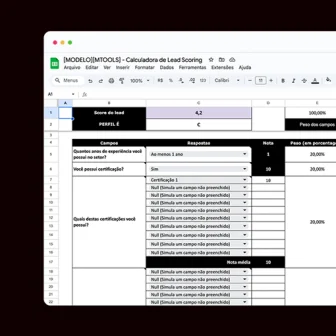 Support material · Spreadsheet in PortugueseLead scoring calculator spreadsheetCreate, test and simulate your lead scoring before setting it up in RD Station Marketing.Download the spreadsheet
Smart forms fill in the profile without wearing the lead out
With smart forms, RD Station only shows the fields a lead has not filled in yet. The profile builds up with every conversion, with no repeated questions. Multi-step forms help when the list is long: the lead answers the basics first and the rest on the next screen.
Both features tackle the empty field that drags the grade to zero. To decide how many fields to ask for on each page, read our post on landing page forms.
From grade to action: what to do with each group
The mix of profile and interest decides the next step. Based on the guide:
| Profile | Interest | Next step |
|---|---|---|
| A or B | high | automatic alert and handoff to sales |
| A or B | low | middle-of-funnel email workflow |
| C | low | educational content while the profile fills in |
| D | high | kept out of the sales queue (students and competitors, for example) |
| D | low | newsletter and general content |
The cutoff for sales has to be agreed with the sales team before you switch on the automation. That is the foundation of sales and marketing alignment, because reps trust a score they helped define and get on the call knowing what the lead has already read.
Review the scoring against the deals you closed
Sales results are what calibrate lead scoring. Every cycle:
- compare closed customers with the score they had when they went to sales;
- lower the points for actions that rarely turn into sales;
- raise the points for actions that come right before a deal, such as a pricing page visit.
What's in the full guide
The guide takes lead scoring in RD Station from concept to scoring review, in 10 chapters:
- What it is and when not to use it.
- Profile and interest basics.
- Score ranges by segment.
- Setting up profile and engagement scoring.
- Smart and multi-step forms.
- The marketing funnel.
- Automation and sales integration.
- Use in email marketing and retargeting.
- Consultative follow-up.
- Best practices for adjusting.
It comes as a PDF, in Portuguese, with sample tables in the hands-on chapters.
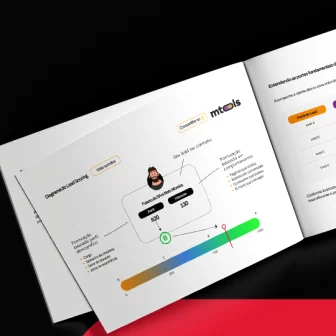 Support material · Guide in PortugueseLead scoring guide for RD StationIdentify and prioritize the leads with the most potential and stop spending time on contacts that won't convert.Download the guide
If your team wants the scoring running alongside your nurturing workflows, take a look at our work in email marketing and automation.
Frequently asked questions
Which RD Station plan includes lead scoring?
The Pro and Advanced plans of RD Station Marketing, according to the platform's help center.
Does a lead earn points again for repeating the same action?
No. Each criterion scores once, on the first action. To measure repeat behavior, create separate criteria, such as conversions on different materials.
When is lead scoring not worth it?
When your lead base is still very small, or when the company has not defined its ideal customer profile. Without that, the score has nothing to compare against.